| Table Content |
Page Number
|
| Getting started |
10 |
| Installing a FortiGate in NAT mode |
10 |
| Connecting network devices |
10 |
| Configuring interfaces |
11 |
| Adding a default route |
12 |
| Selecting DNS servers (optional) |
13 |
| Creating a policy |
13 |
| Results |
14 |
| Fortinet Security Fabric installation |
16 |
| Configuring Edge |
17 |
| Installing Accounting and Marketing |
22 |
| Installing Sales |
27 |
| Configuring the FortiAnalyzer |
32 |
| Adding security profiles (optional) |
35 |
| Results |
36 |
| VDOM configuration |
38 |
| Enabling and creating VDOMs |
39 |
| Configuring a management interface |
39 |
| Assigning interfaces |
40 |
| Creating per-VDOM administrators |
42 |
| Configuring the VDOMs |
43 |
| Configuring global security profiles |
44 |
| Results |
45 |
| FortiGate registration and basic settings |
47 |
| Registering your FortiGate |
47 |
| Setting system time |
50 |
| Creating administrators |
50 |
| Using a trusted host (optional) |
52 |
| Results |
53 |
| Verifying FortiGuard licenses and troubleshooting |
54 |
| Viewing your licenses |
54 |
| Troubleshooting |
56 |
| Results |
58 |
| Logging FortiGate traffic and using FortiView |
60 |
| Configuring log settings |
60 |
| Enabling logging |
61 |
| Results |
61 |
| Creating security policies for different users |
64 |
| Creating the Employee user and policy |
65 |
| Creating the Accounting user and policy |
67 |
| Creating the Admin user, device, and policy |
68 |
| Ordering the policy table |
70 |
| Results |
71 |
| Upgrading FortiGate firmware |
72 |
| Checking the current FortiOS firmware |
73 |
| Upgrading to the latest version |
73 |
| Results |
75 |
| Tags in the Fortinet Security Fabric |
76 |
| Creating tag categories and tags |
76 |
| Applying tags |
78 |
| Results |
80 |
| Port forwarding |
82 |
| Creating virtual IP addresses |
82 |
| Creating a virtual IP group |
85 |
| Creating a security policy |
86 |
| Results |
87 |
| Security Rating |
90 |
| Checking the Security Rating widget |
91 |
| Checking your Security Rating |
91 |
| Results |
93 |
| Automation stitches |
95 |
| Creating the Automation stitches |
96 |
| Testing the Automation stitches |
97 |
| Results |
99 |
| FortiSandbox in the Fortinet Security Fabric |
100 |
| Checking your Security Rating |
101 |
| Connecting the FortiSandbox |
101 |
| Allowing VM Internet access |
103 |
| Adding FortiSandbox to the Security Fabric |
104 |
| Adding sandbox inspection to security profiles |
106 |
| Results |
109 |
| FortiManager in the Fortinet Security Fabric |
111 |
| Connecting the FortiManager |
111 |
| Allowing Internet access |
112 |
| Configuring central management |
113 |
| Results |
115 |
| Redundant Internet with SD-WAN |
116 |
| Blocking malicious domains using threat feeds |
119 |
| Authentication |
121 |
| Agent-based FSSO for Windows AD |
121 |
| Installing the FSSO agent |
121 |
| Configuring the FSSO agent |
125 |
| Setting up your FortiGate for FSSO |
125 |
| Results |
128 |
| FSSO in polling mode for Windows AD |
129 |
| Creating a Fabric Connector |
129 |
| Creating a user group |
130 |
| Creating a policy |
131 |
| Results |
131 |
| High availability |
132 |
| High availability with two FortiGates |
132 |
| Setting up registration and licensing |
133 |
| Configuring the primary FortiGate for HA |
133 |
| Connecting the backup FortiGate |
134 |
| Configuring the backup FortiGate |
135 |
| Viewing the status of the HA cluster |
136 |
| Results |
138 |
| (Optional) Upgrading the firmware for the HA cluster |
139 |
| High Availability with FGCP (expert) |
140 |
| Configuring the primary FortiGate |
141 |
| Configuring the backup FortiGate |
144 |
| Connecting the primary and backup FortiGates |
145 |
| Checking cluster operation |
145 |
| Disabling override (recommended) |
146 |
| Results |
147 |
| Adding a third FortiGate to an FGCP cluster (expert) |
148 |
| Enabling override on the primary FortiGate (optional) |
149 |
| Configuring the new FortiGate |
149 |
| Connecting the new FortiGate to the cluster |
150 |
| Checking cluster operation |
151 |
| Disabling override (recommended) |
152 |
| Converting to an active-active cluster |
152 |
| Results |
153 |
| FGCP Virtual Clustering with two FortiGates (expert) |
154 |
| Preparing the FortiGates |
155 |
| Configuring clustering |
156 |
| Connecting and verifying cluster operation |
158 |
| Adding VDOMs and setting up virtual clustering |
159 |
| Checking virtual cluster operation |
160 |
| Results |
162 |
| FGCP Virtual Clustering with four FortiGates (expert) |
164 |
| Preparing the FortiGates |
165 |
| Configuring clustering |
166 |
| Connecting and verifying cluster operation |
168 |
| Adding VDOMs and setting up virtual clustering |
169 |
| Checking virtual cluster operation |
171 |
| Results |
173 |
| SD-WAN with FGCP HA (expert) |
176 |
| Connecting the FortiGate to your ISPs |
177 |
| Removing existing configuration references to interfaces |
177 |
| Creating the SD-WAN interface |
177 |
| Configuring SD-WAN load balancing |
178 |
| Creating a static route for the SD-WAN interface |
179 |
| Configuring a security policy for SD-WAN |
180 |
| Configuring the FortiGate for HA |
180 |
| Configuring the backup FortiGate |
182 |
| Connecting the primary and backup FortiGates |
183 |
| Checking cluster operation |
184 |
| Disabling override (recommended) |
185 |
| Results |
185 |
| Testing HA failover |
186 |
| Testing ISP failover |
186 |
| Security profiles |
188 |
| Blocking Facebook while allowing Workplace by Facebook |
188 |
| Creating a web filter profile |
188 |
| Applying the security profiles |
190 |
| Results |
191 |
| Antivirus scanning using flow-based inspection |
192 |
| Verifying the inspection mode |
192 |
| Configuring the AntiVirus profile |
193 |
| Enabling antivirus in a policy |
193 |
| Results |
194 |
| FortiSandbox in the Fortinet Security Fabric |
195 |
| Checking the Security Rating |
196 |
| Connecting the FortiSandbox and Edge |
196 |
| Allowing VM Internet access |
199 |
| Adding the FortiSandbox to the Security Fabric |
200 |
| Adding sandbox inspection to security profiles |
202 |
| Results |
205 |
| DNS Filtering |
207 |
| Creating a DNS web filter profile |
207 |
| Enabling DNS filtering in a security policy |
208 |
| Results |
210 |
| (Optional) Changing the FortiDNS server and port |
210 |
| Troubleshooting |
211 |
| Content Disarm and Reconstruction (CDR) |
213 |
| Setting the system inspection mode |
213 |
| Testing FortiSandbox connectivity |
214 |
| Enabling Content Disarm and Reconstruction |
214 |
| Configuring the Internet access policy |
214 |
| Results |
215 |
| Troubleshooting |
216 |
| Preventing certificate warnings (CA-signed certificate) |
217 |
| Using a CA-signed certificate |
217 |
| Generating a CSR on a FortiGate |
218 |
| Getting the certificate signed by a CA |
219 |
| Importing the signed certificate to your FortiGate |
221 |
| Editing the SSL inspection profile |
221 |
| Importing the certificate into web browsers |
224 |
| Results |
226 |
| Preventing certificate warnings (default certificate) |
228 |
| Using the default certificate |
228 |
| Generating a unique certificate |
228 |
| Downloading the certificate |
229 |
| Applying SSL inspection to a policy |
229 |
| Importing the certificate into web browsers |
229 |
| Results |
232 |
| Preventing certificate warnings (self-signed) |
235 |
| Creating a certificate with OpenSSL |
235 |
| Importing the self-signed certificate |
236 |
| Editing the SSL inspection profile |
236 |
| Applying SSL inspection to a policy |
237 |
| Importing the certificate into web browsers |
237 |
| Results |
240 |
| Why you should use SSL inspection |
243 |
| Full SSL inspection |
243 |
| SSL certificate inspection |
244 |
| Troubleshooting |
245 |
| Best practices |
245 |
| VPNs |
246 |
| SSL VPN quick start |
246 |
| SSL VPN split tunnel for remote user |
246 |
| Connecting from FortiClient VPN client |
249 |
| Set up FortiToken two-factor authentication |
251 |
| Connecting from FortiClient with FortiToken |
252 |
| SSL VPN using web and tunnel mode |
253 |
| Editing the SSL VPN portal |
253 |
| Configuring the SSL VPN tunnel |
255 |
| Adding security policies |
257 |
| Verifying remote user OS and software |
259 |
| Results |
260 |
| SSL VPN with RADIUS and FortiToken |
265 |
| Creating a user and a user group |
265 |
| Creating the RADIUS client |
267 |
| Connecting the FortiGate to FortiAuthenticator |
268 |
| Allowing users to connect to the VPN |
270 |
| Results |
271 |
| FortiToken Mobile Push for SSL VPN |
273 |
| Adding FortiToken to FortiAuthenticator |
274 |
| Adding user to FortiAuthenticator |
274 |
| Creating the RADIUS client on FortiAuthenticator |
278 |
| Connecting the FortiGate to the RADIUS server |
279 |
| Configuring the SSL VPN |
282 |
| Results |
284 |
| IPsec VPN with FortiClient |
286 |
| Adding a firewall address |
286 |
| Configuring the IPsec VPN |
287 |
| Creating a security policy |
289 |
| Add FortiToken two-factor authentication |
290 |
| Add LDAP user authentication |
291 |
| Configuring FortiClient |
292 |
| Results |
293 |
| One-Click VPN (OCVPN) |
295 |
| Enabling OCVPN |
295 |
| Confirming cloud membership |
297 |
| Results |
298 |
| Troubleshooting |
300 |
| Site-to-site IPsec VPN with two FortiGate devices |
302 |
| Configuring IPsec VPN on HQ |
302 |
| Configuring IPsec VPN on Branch |
305 |
| Results |
307 |
| Fortinet Security Fabric over IPsec VPN |
308 |
| Configuring tunnel interfaces |
308 |
| Adding tunnel interfaces to the VPN |
310 |
| Authorizing Branch for the Security Fabric |
313 |
| Allowing Branch to access the FortiAnalyzer |
314 |
| Results |
317 |
| Desynchronizing settings for Branch (optional) |
317 |
| Site-to-site IPsec VPN with overlapping subnets |
318 |
| Planning the new addressing scheme |
318 |
| Configuring the IPsec VPN on HQ |
319 |
| Configuring static routes on HQ |
320 |
| Configuring address objects on HQ |
321 |
| Configuring firewall policies on HQ |
322 |
| Configuring IPsec VPN on Branch |
324 |
| Configuring static routes on Branch |
325 |
| Configuring address objects on Branch |
326 |
| Configuring firewall policies on Branch |
327 |
| Results |
329 |
| Explanation |
330 |
| IPsec VPN to Alibaba Cloud (AliCloud) |
331 |
| Configuring the Alibaba Cloud (AliCloud) VPN gateway |
332 |
| Configuring the FortiGate |
334 |
| SSL VPN for remote users with MFA and user case sensitivity |
335 |
| Topology |
336 |
| Example configuration |
336 |
| Verification |
341 |
| WiFi |
344 |
| Setting up WiFi with FortiAP |
344 |
| Connecting FortiAP |
344 |
| Creating an SSID |
346 |
| Creating a custom FortiAP profile |
347 |
| Creating a security policy |
348 |
| Results |
349 |
| Replacing the Fortinet_Wifi certificate |
350 |
| Guest WiFi accounts |
352 |
| Creating a guest user group |
353 |
| Creating an SSID |
353 |
| Creating a security policy |
355 |
| Creating a guest user management account |
356 |
| Creating a guest user account |
357 |
| Results |
358 |

Fortinet’s FortiGate Firewall Monitoring & Support
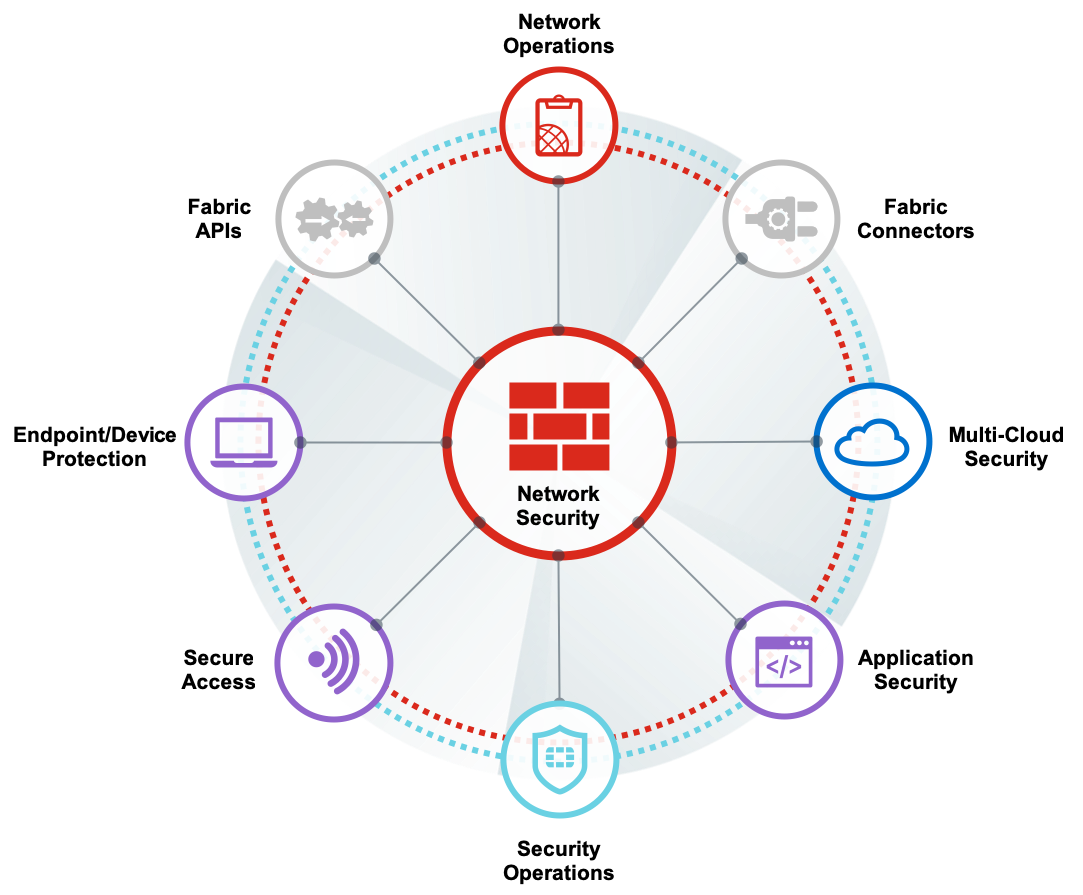
Fortinet’s FortiGate Network Security & Firewall Support
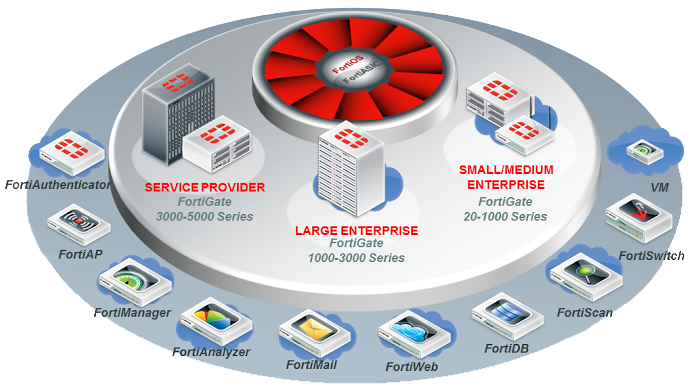
Fortinet Support
Fortinet Firewall Support Number :
+91 96540 16484
Tagged with: (Optional) Changing the FortiDNS server and port, (Optional) Upgrading the firmware for the HA cluster, Add FortiToken two-factor authentication, Add LDAP user authentication, Adding a default route, Adding a firewall address, Adding a third FortiGate to an FGCP cluster (expert), Adding FortiSandbox to the Security Fabric, Adding FortiToken to FortiAuthenticator, Adding sandbox inspection to security profiles, Adding security policies, Adding security profiles (optional), Adding the FortiSandbox to the Security Fabric, Adding tunnel interfaces to the VPN, Adding user to FortiAuthenticator, Adding VDOMs and setting up virtual clustering, Agent-based FSSO for Windows AD, Allowing Branch to access the FortiAnalyzer, Allowing Internet access, Allowing users to connect to the VPN, Allowing VM Internet access, and policy, Antivirus scanning using flow-based inspection, Applying SSL inspection to a policy, Applying tags, Applying the security profiles, Assigning interfaces, Authentication, Authorizing Branch for the Security Fabric, Automation stitches, Best practices, Blocking Facebook while allowing Workplace by Facebook, Blocking malicious domains using threat feeds, Checking cluster operation, Checking the current FortiOS firmware, Checking the Security Rating, Checking the Security Rating widget, Checking virtual cluster operation, Checking your Security Rating, Configuring a management interface, Configuring a security policy for SD-WAN, Configuring address objects on Branch, Configuring address objects on HQ, Configuring central management, Configuring clustering, Configuring Edge, Configuring firewall policies on Branch, Configuring firewall policies on HQ, Configuring FortiClient, Configuring global security profiles, Configuring interfaces, Configuring IPsec VPN on Branch, Configuring IPsec VPN on HQ, Configuring log settings, Configuring SD-WAN load balancing, Configuring static routes on Branch, Configuring static routes on HQ, Configuring the Alibaba Cloud (AliCloud) VPN gateway, Configuring the AntiVirus profile, Configuring the backup FortiGate, Configuring the FortiAnalyzer, Configuring the FortiGate, Configuring the FortiGate for HA, Configuring the FSSO agent, Configuring the Internet access policy, Configuring the IPsec VPN, Configuring the IPsec VPN on HQ, Configuring the new FortiGate, Configuring the primary FortiGate, Configuring the primary FortiGate for HA, Configuring the SSL VPN, Configuring the SSL VPN tunnel, Configuring the VDOMs, Configuring tunnel interfaces, Confirming cloud membership, Connecting and verifying cluster operation, Connecting FortiAP, Connecting from FortiClient VPN client, Connecting from FortiClient with FortiToken, Connecting network devices, Connecting the backup FortiGate, Connecting the FortiGate to FortiAuthenticator, Connecting the FortiGate to the RADIUS server, Connecting the FortiGate to your ISPs, Connecting the FortiManager, Connecting the FortiSandbox, Connecting the FortiSandbox and Edge, Connecting the new FortiGate to the cluster, Connecting the primary and backup FortiGates, Content Disarm and Reconstruction (CDR), Converting to an active-active cluster, Creating a certificate with OpenSSL, Creating a custom FortiAP profile, Creating a DNS web filter profile, Creating a Fabric Connector, Creating a guest user account, Creating a guest user group, Creating a guest user management account, Creating a policy, Creating a security policy, Creating a static route for the SD-WAN interface, Creating a user and a user group, Creating a user group, Creating a virtual IP group, Creating a web filter profile, Creating administrators, Creating an SSID, Creating per-VDOM administrators, Creating security policies for different users, Creating tag categories and tags, Creating the Accounting user and policy, Creating the Admin user, Creating the Automation stitches, Creating the Employee user and policy, Creating the RADIUS client, Creating the RADIUS client on FortiAuthenticator, Creating the SD-WAN interface, Creating virtual IP addresses, Desynchronizing settings for Branch (optional), device, Disabling override (recommended), DNS Filtering, Downloading the certificate, Editing the SSL inspection profile, Editing the SSL VPN portal, Enabling and creating VDOMs, Enabling antivirus in a policy, Enabling Content Disarm and Reconstruction, Enabling DNS filtering in a security policy, Enabling logging, Enabling OCVPN, Enabling override on the primary FortiGate (optional), Example configuration, Explanation, FGCP Virtual Clustering with four FortiGates (expert), FGCP Virtual Clustering with two FortiGates (expert), Firewall Manual, Fortigate Firewall Manual, Fortigate Firewall Manual Documentation, FortiGate registration and basic settings, FortiManager in the Fortinet Security Fabric, Fortinet Security Fabric installation, Fortinet Security Fabric over IPsec VPN, FortiSandbox in the Fortinet Security Fabric, FortiToken Mobile Push for SSL VPN, FSSO in polling mode for Windows AD, Full SSL inspection, Generating a CSR on a FortiGate, Generating a unique certificate, Getting the certificate signed by a CA, Guest WiFi accounts, High availability, High Availability with FGCP (expert), High availability with two FortiGates, Importing the certificate into web browsers, Importing the self-signed certificate, Importing the signed certificate to your FortiGate, Installing a FortiGate in NAT mode, Installing Accounting and Marketing, Installing Sales, Installing the FSSO agent, IPsec VPN to Alibaba Cloud (AliCloud), IPsec VPN with FortiClient, Logging FortiGate traffic and using FortiView, One-Click VPN (OCVPN), Ordering the policy table, Planning the new addressing scheme, Port forwarding, Preparing the FortiGates, Preventing certificate warnings (CA-signed certificate), Preventing certificate warnings (default certificate), Preventing certificate warnings (self-signed), Redundant Internet with SD-WAN, Registering your FortiGate, Removing existing configuration references to interfaces, Replacing the Fortinet_Wifi certificate, Results, SD-WAN with FGCP HA (expert), Security profiles, Security Rating, Selecting DNS servers (optional), Set up FortiToken two-factor authentication, Setting system time, Setting the system inspection mode, Setting up registration and licensing, Setting up WiFi with FortiAP, Setting up your FortiGate for FSSO, Site-to-site IPsec VPN with overlapping subnets, Site-to-site IPsec VPN with two FortiGate devices, SSL certificate inspection, SSL VPN for remote users with MFA and user case sensitivity, SSL VPN quick start, SSL VPN split tunnel for remote user, SSL VPN using web and tunnel mode, SSL VPN with RADIUS and FortiToken, Tags in the Fortinet Security Fabric, Testing FortiSandbox connectivity, Testing HA failover, Testing ISP failover, Testing the Automation stitches, Topology, Troubleshooting, Upgrading FortiGate firmware, Upgrading to the latest version, Using a CA-signed certificate, Using a trusted host (optional), Using the default certificate, VDOM configuration, Verification, Verifying FortiGuard licenses and troubleshooting, Verifying remote user OS and software, Verifying the inspection mode, Viewing the status of the HA cluster, Viewing your licenses, VPNs, Why you should use SSL inspection, WiFi
 Firewall Security Company India Complete Firewall Security Solutions Provider Company in India